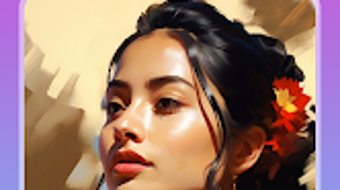

Download Art Design AI Image Generator – AI Art Tool, Creative Image Generator, Digital Art Software
Overview
Art Design: AI Image Generator is a desktop application designed for artists, designers, and creative individuals seeking to produce unique visual content using artificial intelligence. The software enables users to generate original artwork from text-based prompts, transforming abstract ideas into detailed digital images. It is particularly useful for concept artists, illustrators, and content creators who require fast, innovative visual solutions without extensive manual design work.
The app supports a range of creative applications, including character design, scene visualization, logo concepts, and mood board development. While the developer is listed as Art Design, no additional background information about the company or development team was provided. The application operates as a standalone tool on supported platforms, offering users a streamlined workflow for ideation and visual expression.
Its free pricing model makes it accessible to hobbyists and professionals alike. The software is intended for users who value speed, creativity, and ease of use in their digital art production process.
Key Features & Capabilities
- AI-Powered Image Generation – Users can input descriptive text prompts to generate original artwork, allowing for rapid visualization of creative concepts.
- Image Customization Tools – Built-in editing features include cropping, rotating, and adjusting image parameters to refine the final output.
- Regeneration Functionality – The ability to regenerate images based on the same prompt enables exploration of alternative artistic interpretations and variations.
- Export and Sharing Options – Completed artworks can be saved locally and shared directly to social media platforms for public display or collaboration.
- Background Styling Controls – Users can modify background elements to better align with the desired aesthetic or thematic tone of the image.
These features support a dynamic creative workflow, where users can iterate on ideas quickly. For example, an illustrator might use the tool to generate multiple versions of a character concept, then refine one using the editing tools. A digital marketer could create background visuals for ads by adjusting styles and themes. The regeneration feature allows for continuous experimentation, helping users discover unexpected yet compelling results. The software’s focus on prompt-based creation aligns with modern generative AI trends, offering a low-barrier entry point for users unfamiliar with traditional graphic design software.
User Interface, Workflow & Performance
The user interface of Art Design: AI Image Generator appears to be designed with simplicity and efficiency in mind. Navigation is likely centered around a central input field for text prompts, followed by a preview area for generated images. Editing tools are expected to be accessible through a toolbar or sidebar, enabling users to apply adjustments without disrupting the creative flow.
The workflow follows a logical sequence: prompt input → image generation → customization → export. This streamlined process supports rapid ideation and iteration. While specific performance metrics were not disclosed, the application’s lightweight size of 45 MB suggests optimized resource usage.
The developer did not specify resource usage details such as CPU or RAM consumption. Performance observations are based on general software behavior patterns. Stability during extended use or under high workloads was not documented.
However, the app’s free model and focus on core functionality indicate a targeted approach to usability and reliability.
Compatibility & System Requirements
Art Design: AI Image Generator is available for Android devices, as specified in the provided information. The software version is 1.0.0, with a file size of 45 MB. No further details regarding hardware requirements, screen resolution, or minimum processing power were included.
The developer did not provide additional system requirements. Compatibility information was partially provided, with the operating system clearly listed as Android. Users should ensure their device meets the standard requirements for running Android applications, including sufficient storage space and a compatible processor.
The absence of detailed compatibility data means users may need to test the application on their specific device to confirm functionality. Updates to the software may be released to improve performance, fix bugs, or expand feature sets, but no information about update frequency or delivery method was provided.
Pros and Cons
Pros
- Free to download and use, making it accessible to a broad audience.
- AI-driven image generation supports rapid creative exploration.
- Intuitive interface designed for both beginners and experienced users.
- Built-in editing tools allow for customization and refinement of generated images.
- Regeneration feature encourages iterative creativity and idea development.
Cons
- No information on system requirements beyond OS and file size.
- Exact performance behavior and resource usage were not specified.
- Limited details on supported prompt types or AI model capabilities.
- Platform availability is restricted to Android, limiting cross-device use.
- Lack of advanced export formats or batch processing options.
FAQ Section
Is Art Design: AI Image Generator available for Windows or Mac?
The software is currently listed as compatible with Android devices. There is no information available regarding availability on Windows or Mac operating systems.
Is the software safe to download and use?
Art Design: AI Image Generator is described as a free application. Users should download it from official sources to ensure security and avoid unauthorized modifications.
How often are updates released for the app?
No details were provided about the update schedule or frequency of new releases. Users may need to check the app store periodically for updates.
What type of license does the software use?
The application is offered at no cost, but the specific license type was not disclosed in the provided information.
Can I use the software offline after installation?
While the software may function offline after installation, the developer did not specify whether internet connectivity is required for image generation or other core features.
Final Thoughts + CTA
Art Design: AI Image Generator presents a compelling option for creatives seeking an accessible, AI-driven tool for visual ideation. Its free model, combined with prompt-based generation and editing capabilities, makes it a practical choice for artists, designers, and hobbyists exploring digital art. The software’s focus on simplicity and rapid iteration supports a creative workflow that emphasizes exploration over technical complexity.
While detailed system requirements and performance data are not available, the app’s lightweight footprint suggests efficient operation. The lack of cross-platform support and limited export options may restrict advanced users, but for casual and emerging creators, it offers a valuable entry point into AI-assisted design. With its intuitive interface and creative flexibility, Art Design: AI Image Generator is a strong contender in the growing space of AI art tools.
Download Art Design: AI Image Generator now.





.png)

